
Choosing a cafe POS system is one of those decisions that seems simple until you’re actually in the middle of it. There are dozens of providers, each promising to be the perfect fit for your café, and the feature lists can start to blur together after a while. But get it right, and your POS becomes the quiet engine that keeps your café running smoothly. Get it wrong, and you’ll be fighting your own till every single morning rush.
Cafés have a particular rhythm: quick transactions, high customer volume during peak hours, a constantly evolving menu of drinks and modifiers, and often a mix of eat-in, takeaway, and pre-order customers. A POS system built for a generic retail shop or a full-service restaurant won’t necessarily serve that rhythm well. Here’s what actually matters when you’re choosing one, and the red flags that should make you think twice.
What to Look For
1. Speed at the Counter
In a café, speed is everything. Customers are often in a hurry, queues form fast, and a slow till directly costs you sales. Look for a system with a clean, intuitive interface where staff can ring up a “medium oat flat white, extra shot, to go” in a couple of taps rather than digging through menus. Customizable quick-access buttons and modifier groups (milk type, size, extra shots, syrups) make a huge difference here.
2. Easy Menu and Modifier Management
Café menus change constantly: seasonal drinks, new pastries, price adjustments, and limited-time specials. You want a system where updating the menu takes minutes, not a support call. Ideally, changes should sync instantly across every device and channel, including any online ordering app, so staff and customers always see the same prices and availability.

3. Order Accuracy Tools
With so many customizable options, mistakes are easy to make and costly to fix. A good cafe POS should make it simple to capture modifiers clearly, flag allergens, and print or display clear tickets for baristas and kitchen staff. This reduces remakes, wasted ingredients, and frustrated customers.
4. Integrated Payments
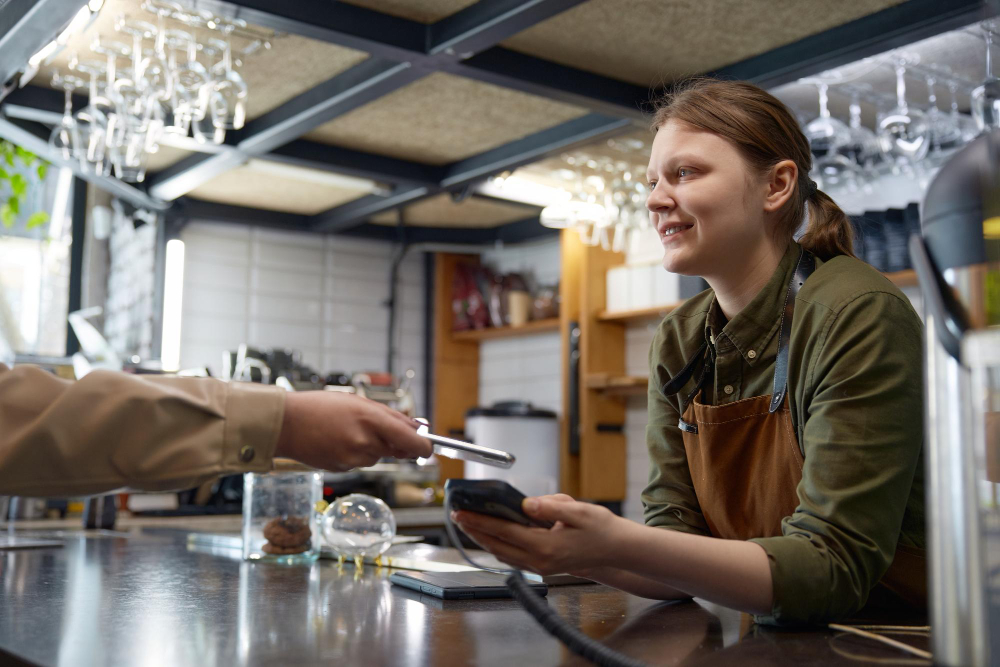
Look for a system that handles card payments, contactless, and mobile wallets natively, rather than requiring a separate card machine that doesn’t talk to the till. Integrated payments mean fewer reconciliation headaches, faster checkout, and a single source of truth for your daily sales.
5. Loyalty and Repeat-Customer Tools
Cafés live and die on repeat business. A POS with built-in loyalty features stamp cards, points, or simple “buy 9 get the 10th free” style programs can meaningfully boost customer retention without needing a separate app or system bolted on.
6. Real-Time Reporting
You should be able to see, at a glance, your best-selling items, busiest hours, average transaction value, and staff performance. This kind of visibility helps with everything from staffing decisions to deciding which seasonal drink to bring back next year. If a system’s reporting is vague, delayed, or buried behind confusing menus, it’s not doing its job.
7. Inventory and Stock Tracking
Running out of oat milk at 8 am on a Tuesday is a solvable problem if your cafe POS tracks stock levels and alerts you before it happens. Look for systems that can track ingredients (not just finished products), since drinks and food in a café are often made from shared components across multiple menu items.
8. Reliable Offline Functionality
Wi-Fi and card networks go down. It happens. A POS that simply stops working during an outage can cost you an entire morning of trade. Look for systems with genuine offline mode that lets you keep taking orders and payments, syncing everything once connectivity returns.
9. Scalability
Even if you’re running a single café today, think about tomorrow. If you might open a second location, add online ordering, or introduce self-service kiosks, choose a system that can grow with you rather than one you’ll need to replace in two years.
10. Genuine, Responsive Support
When your till goes down five minutes before opening, you need a real person to help, not a ticket queue with a 48-hour response time. Ask providers directly about support hours, response times, and whether help is available by phone, not just email or chat.
What to Avoid
1. Overly Complex Interfaces
If a system takes weeks to train new staff on, it’s going to cost you time and money every time you hire. Avoid POS software that feels like it was designed for enterprise retail chains rather than a fast-paced café counter.
2. Hidden Fees and Long Contracts
Some providers advertise low upfront costs but bury you in transaction fees, mandatory add-ons, or lengthy lock-in contracts. Always ask for a full breakdown of monthly costs, payment processing rates, and cancellation terms before signing anything.
3. Poor Integration With Other Tools
If you already use accounting software, a delivery platform, or an online ordering system, check compatibility before committing. A POS that can’t integrate or only integrates clumsily through manual exports will create more work, not less.
4. Weak or Non-Existent Offline Mode
As mentioned above, this is a dealbreaker. Ask providers directly: “What happens if the internet goes down mid-service?” If the answer is vague or unconvincing, keep looking.
5. Inflexible Hardware Requirements
Some systems lock you into proprietary hardware that’s expensive to replace or repair. Look for systems compatible with standard, widely available hardware, so you’re not stuck waiting weeks for a replacement part from a single supplier.
6. No Free Trial or Demo
Any reputable POS provider should let you trial the system, or at minimum give a live demo tailored to a café environment. Be cautious of providers who push you to sign a contract before you’ve actually used the software.
7. Generic, Non-Hospitality-Focused Systems
A POS built primarily for retail stock rooms or generic small businesses often misses café-specific needs like modifier-heavy drink orders, table management for eat-in customers, or barista-facing ticket printing. Purpose-built hospitality systems tend to handle these nuances far better.
Final Thoughts
The right POS system should fade into the background of your café’s daily operations fast, reliable, and easy for staff to use without a second thought. The wrong one becomes a daily source of friction, slowing down service and frustrating both staff and customers.
Take your time evaluating options, ask pointed questions about offline reliability, fees, and support, and don’t be afraid to request a trial before committing. A little extra diligence upfront can save you months of frustration and a costly system switch down the line.