Home > Grafterr GO

Grafterr GO

Activity


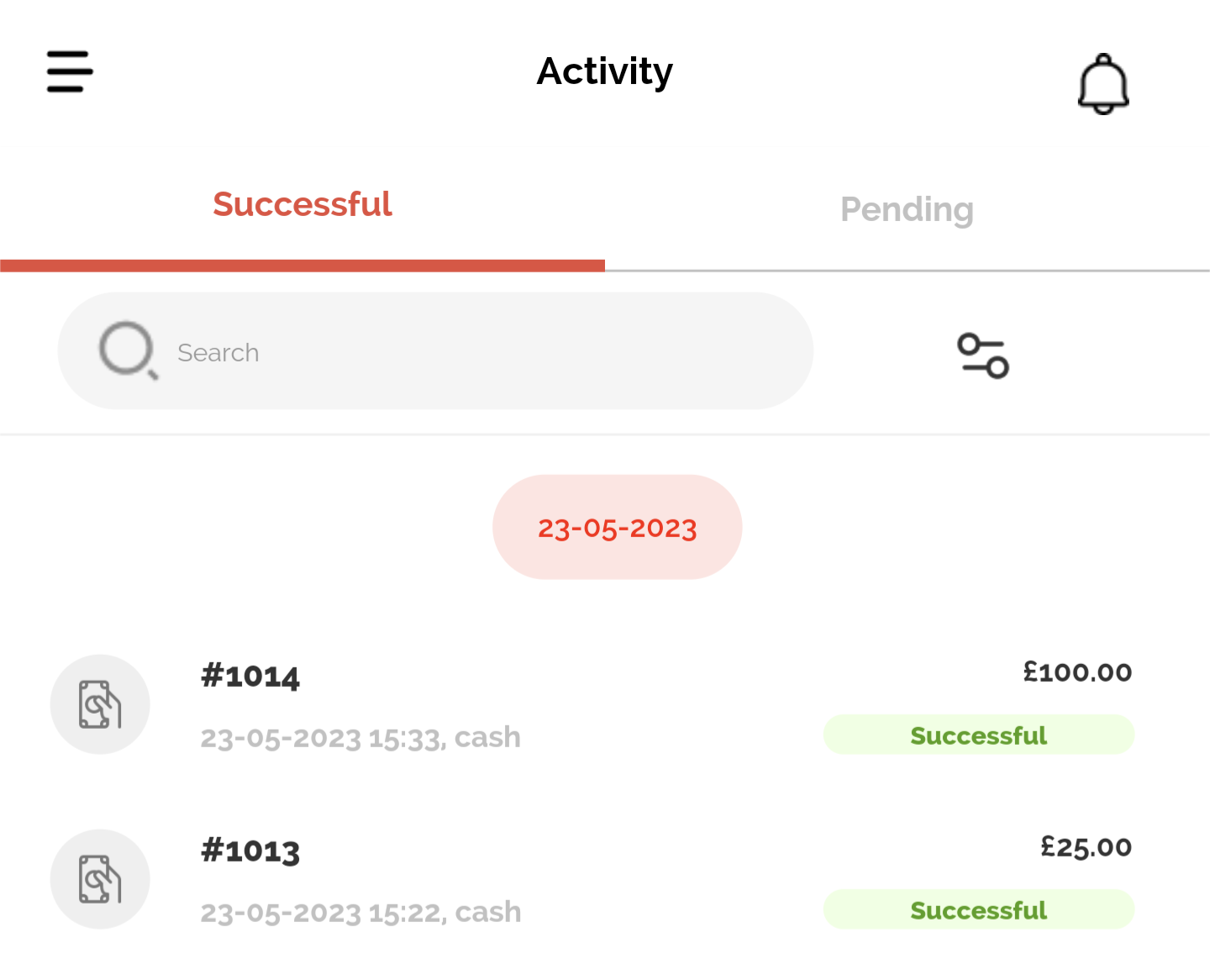
On the Home screen, press Activity to view the day’s Successful and Pending transactions when the relevant heading is selected.


The Search Bar allows the order number to be searched, and the Filter button allows the transactions to be filtered by Payment Method and Date.

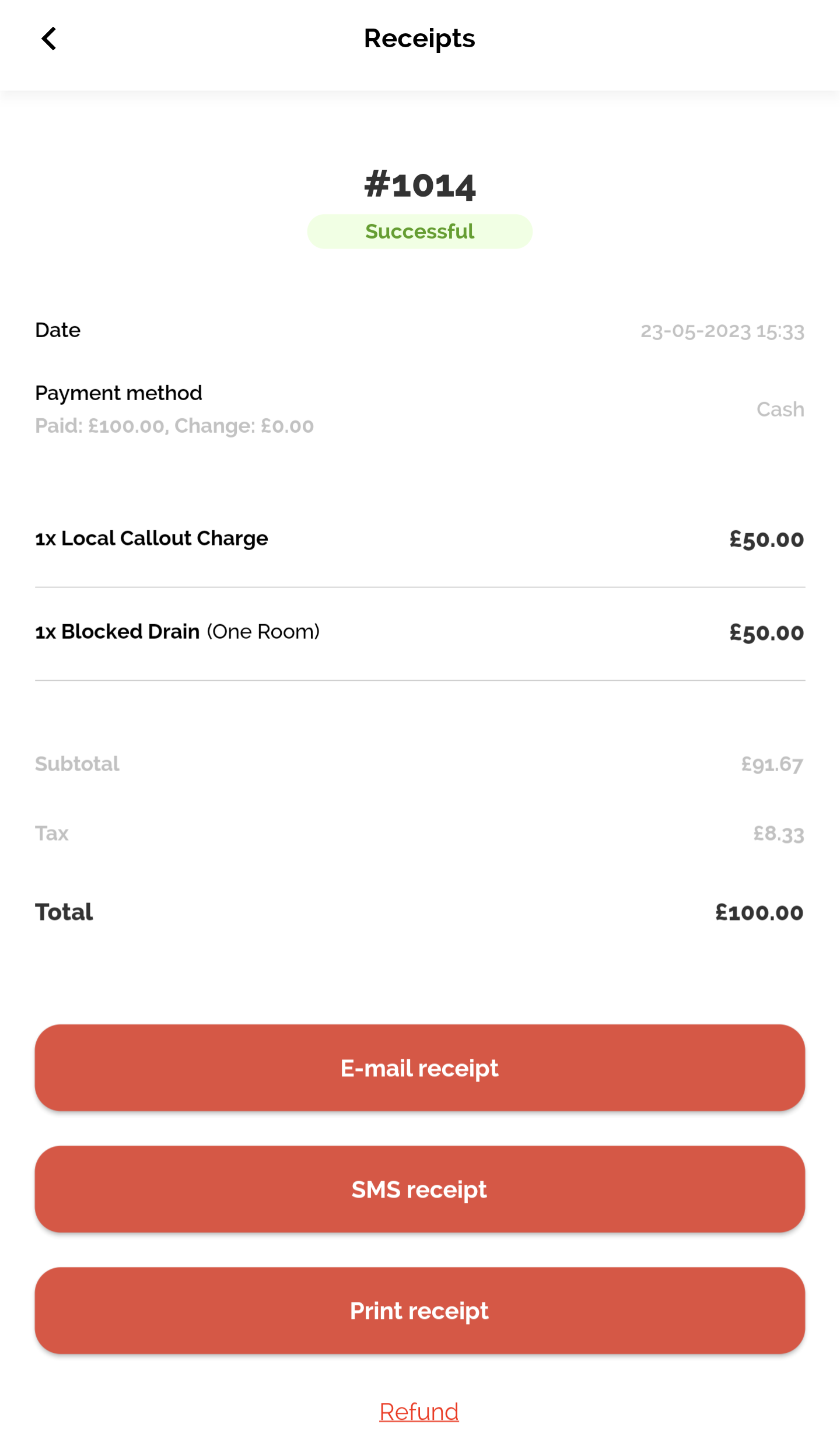
Selecting the relevant transaction details the Date and Time, Payment Method, Products and Total of the transaction, and allows Receipts to be printed or sent by email or SMS, or process a refund of required.


X

Related Topics

Help us improve our Support Center. Was this article helpful?

Can’t find what you need?